

Nikon D5000: A Comprehensive User Guide
Welcome! This guide details the Nikon D5000’s features‚ offering insights into safety‚ menu navigation‚ and shooting modes. Explore quick auto settings and advanced focusing techniques for optimal results.
Embark on your photographic journey with the Nikon D5000‚ a versatile Digital SLR designed for both beginners and enthusiasts. This camera empowers you to capture stunning images with its 10.2-megapixel DX-format CCD image sensor‚ delivering exceptional clarity and detail. The D5000 boasts a user-friendly interface‚ making it accessible for those new to DSLR photography‚ while still offering a wealth of features for experienced users to explore.
This comprehensive guide will walk you through every aspect of the D5000‚ from understanding essential safety precautions to mastering its key features. You’ll learn how to navigate the menu system‚ customize camera settings‚ and utilize various shooting modes – including automatic and scene modes – to achieve optimal results in any situation. Discover the power of Live View‚ adjust the monitor tilt for comfortable composition‚ and even record high-definition video.
Furthermore‚ we’ll delve into image quality settings‚ storage optimization‚ and focusing techniques‚ including 3D-Tracking for capturing moving subjects. This manual is your key to unlocking the full potential of your Nikon D5000.
Safety Precautions
Prioritize your safety and the longevity of your Nikon D5000 by adhering to these crucial precautions. Before operation‚ carefully review the safety information detailed within the camera’s documentation (page xii of the D5000_EU(Ru)04.pdf). Avoid exposing the camera to extreme temperatures‚ humidity‚ or direct sunlight for extended periods‚ as this can cause malfunction or damage.
Never attempt to disassemble or repair the camera yourself; instead‚ contact Nikon’s authorized service centers for assistance. Be cautious when changing lenses‚ ensuring the camera is powered off to prevent damage to the sensor. Avoid looking directly into the lens when using strong light sources‚ as this could harm your eyes.
Handle the battery with care‚ avoiding short circuits‚ excessive heat‚ and water exposure. Do not use damaged batteries. Keep the camera and accessories out of reach of small children. Regularly check the camera’s components for any signs of wear or damage. Following these guidelines will ensure a safe and enjoyable photographic experience.
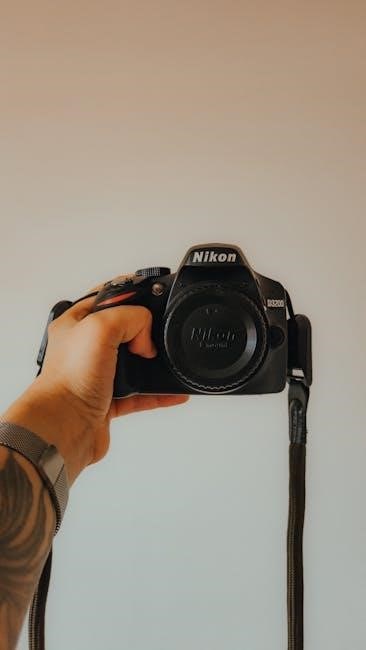
Understanding the D5000’s Key Features

The Nikon D5000 boasts a powerful feature set designed for both beginners and enthusiasts. Key among these is its 10.2-megapixel DX-format CCD image sensor‚ delivering high-resolution images with excellent clarity. The camera offers a versatile range of shooting modes‚ including automatic modes for effortless capture and scene modes tailored for specific situations like portraits‚ landscapes‚ and sports (pages 33-38 of D5000_EU(Ru)04.pdf).
Its 3.0-inch tilting LCD screen facilitates comfortable viewing and composition from various angles (page 45). The D5000 also supports Live View functionality‚ allowing you to frame your shots directly on the LCD. Focusing is enhanced by multiple focus points and 3D-tracking‚ ideal for capturing moving subjects (pages 57-58).
Furthermore‚ the camera records video in standard definition‚ offering a creative outlet beyond still photography (pages 50-51). Understanding these core features unlocks the D5000’s full potential‚ enabling you to capture stunning images and videos with ease.
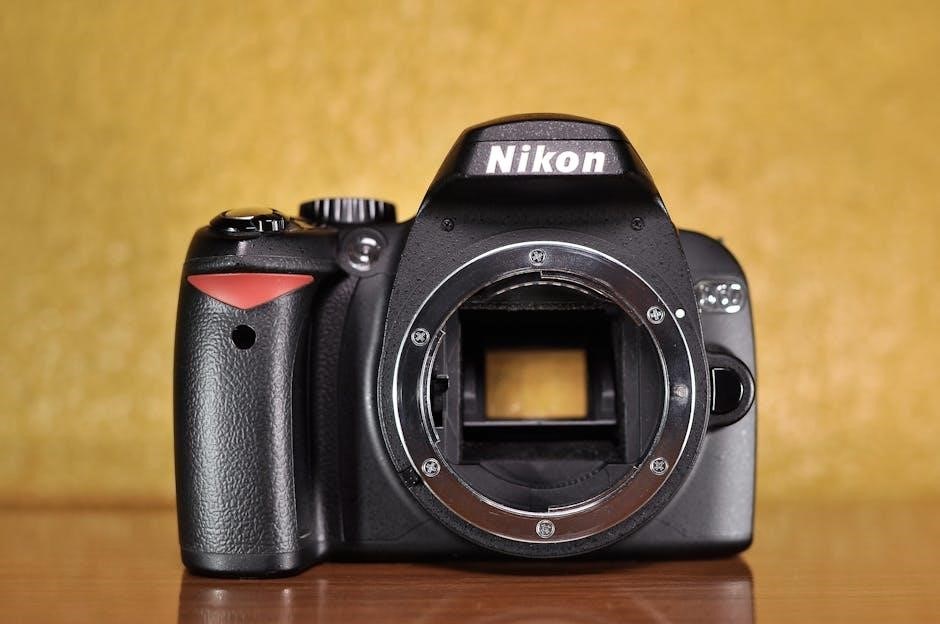
Navigating the Menu System
The Nikon D5000’s menu system is your gateway to customizing camera settings. Accessed via the MENU button‚ it’s organized into several tabs‚ each dedicated to a specific category – shooting‚ playback‚ setup‚ and more. The camera also provides a helpful in-camera help function for menu items (page 13).
Within each tab‚ options are arranged logically‚ allowing you to adjust settings like image quality‚ ISO sensitivity‚ and autofocus mode. Use the directional pad to navigate and the OK button to select. To change the menu language‚ navigate to Setup > Language (page 169).

Remember that settings are often interconnected‚ so understanding their impact is crucial. Don’t hesitate to consult the manual (D5000_EU(Ru)04.pdf) for detailed explanations of each option. Familiarizing yourself with the menu structure will empower you to tailor the D5000 to your specific shooting needs and preferences.
Displaying Information on the Screen & Viewfinder
The Nikon D5000 offers comprehensive information display both on the rear LCD screen and within the optical viewfinder. The LCD displays shooting settings‚ histograms‚ and image previews. The viewfinder presents essential data like focus points‚ exposure settings‚ and battery level.
Information displayed can be customized. The camera provides options to show or hide specific data points‚ tailoring the display to your preferences. Refer to the manual for details on customizing the information screen (page 8‚ 167) and viewfinder display (page 6).
Understanding the symbols and indicators is key to effective shooting. The camera’s help function can clarify the meaning of unfamiliar icons. The D5000’s clear displays ensure you have all the necessary information at your fingertips‚ enabling informed decisions and optimal image capture.
Checking Remaining Shots and Battery Level
Monitoring your remaining shots and battery level is crucial for uninterrupted shooting with the Nikon D5000. The camera provides clear indicators for both. To check the number of shots remaining on your memory card‚ consult the camera’s display – information is readily available (page 29). This prevents unexpected interruptions during important moments.
The battery level is also prominently displayed on both the LCD screen and in the viewfinder. A dedicated battery icon visually represents the remaining charge. Pay attention to this indicator‚ especially during extended shooting sessions.
Knowing your battery status allows for proactive measures‚ such as carrying a spare battery or utilizing a power source. The D5000’s intuitive displays ensure you’re always aware of your resources‚ maximizing your shooting time and minimizing potential disruptions. Refer to page 28 for specific details.

Adjusting Camera Settings: Brightness & Language
Personalizing your Nikon D5000 experience involves adjusting settings like brightness and language to suit your preferences. The camera offers straightforward controls for both. To adjust the LCD monitor’s brightness‚ navigate to the setup menu and select “Brightness LCD” (page 166). This ensures optimal visibility in various lighting conditions‚ enhancing your composition and review process.
Changing the display language is equally simple. Access the setup menu and locate the “Language” option (page 169). The D5000 supports multiple languages‚ allowing you to operate the camera in your preferred tongue. This customization improves usability and understanding of the menu system.
These adjustments contribute to a more comfortable and efficient shooting experience. By tailoring the brightness and language‚ you can fully leverage the D5000’s capabilities and enjoy a personalized photographic journey.
Utilizing the Grid Display in the Viewfinder
The Nikon D5000’s grid display is a valuable tool for achieving well-composed photographs. Accessed through the setup menu‚ specifically the “Show grid” option (page 158)‚ this feature overlays a grid pattern onto both the LCD screen and within the viewfinder. This aids in adhering to the rule of thirds‚ a fundamental principle of photographic composition.
The grid lines help align key elements within the frame‚ creating balanced and visually appealing images. They also assist in straightening horizons and maintaining vertical alignment‚ preventing tilted perspectives. Utilizing the grid display is particularly helpful when framing landscapes‚ architecture‚ or any scene requiring precise alignment.
Experimenting with the grid display allows for greater control over composition‚ ultimately enhancing the aesthetic quality of your photographs. It’s a simple yet effective technique for improving your photographic eye and achieving professional-looking results.
Viewing Detailed Image Information
The Nikon D5000 allows you to view comprehensive details about your captured images. Access this information through the playback menu‚ selecting the “Image review” or “Display image information” option (pages 117-121). This reveals a wealth of data beyond the visual representation of the photograph.
Displayed information includes the date and time of capture‚ file name‚ folder‚ image quality settings (size and compression)‚ ISO speed‚ shutter speed‚ aperture‚ exposure compensation‚ white balance‚ and metering mode. Furthermore‚ it shows the flash settings used‚ focus mode‚ and even the number of times the shutter has been released.
Analyzing this data is crucial for learning from your shots and refining your photographic technique. Understanding the settings used for successful images allows you to replicate them in future scenarios. Conversely‚ reviewing settings from less-than-ideal results helps identify areas for improvement. This detailed feedback loop is invaluable for photographic growth.
Automatic Modes for Quick Shooting
The Nikon D5000 offers several automatic modes designed for effortless photography‚ ideal for beginners or situations demanding speed; The “Auto” mode (pages 28-32) is the simplest‚ letting the camera handle all settings – aperture‚ shutter speed‚ ISO‚ and white balance – for optimal results in most conditions. It’s perfect for everyday snapshots where immediate capture is key.
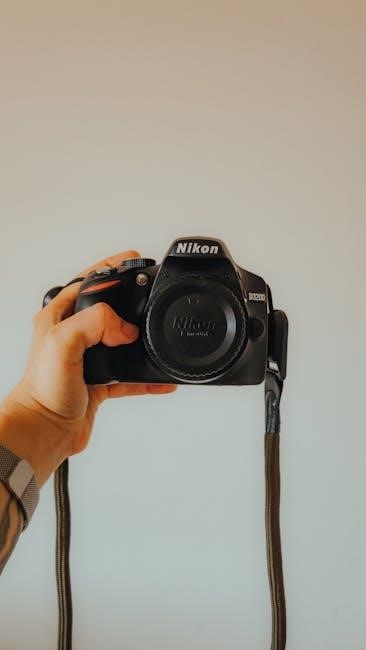
Another convenient option is “Scene” mode (pages 33-38)‚ providing pre-configured settings tailored to specific shooting scenarios like portrait‚ landscape‚ sports‚ or macro. These modes optimize camera parameters for the chosen subject‚ enhancing image quality without manual adjustments.
These automatic modes prioritize ease of use‚ allowing you to focus on composition and capturing the moment. While they offer less creative control than manual settings‚ they provide a reliable starting point and consistently deliver acceptable results‚ especially when time is limited or photographic knowledge is developing.
Scene Modes for Specific Situations
The Nikon D5000’s Scene Modes (pages 33-38) provide pre-set configurations optimized for various shooting environments‚ simplifying photography for specific subjects. Portrait mode prioritizes a shallow depth of field‚ blurring the background to emphasize the subject’s face. Landscape mode maximizes depth of field‚ ensuring sharpness throughout the entire scene – ideal for expansive vistas.
Sports mode utilizes a faster shutter speed to freeze motion‚ capturing dynamic action with clarity. Macro mode enables close-up photography‚ revealing intricate details of small objects. Night Portrait mode combines a flash with a slower shutter speed‚ illuminating the subject while preserving background details in low light.

These modes intelligently adjust settings like aperture‚ shutter speed‚ ISO‚ and white balance‚ eliminating the need for manual adjustments. They are a fantastic option for photographers seeking to achieve professional-looking results without extensive technical knowledge‚ offering a convenient pathway to enhanced image quality in diverse scenarios.
Live View Functionality
The Nikon D5000’s Live View mode (pages 41-47) allows you to compose and review images directly on the camera’s LCD monitor‚ offering a different shooting experience than traditional viewfinder photography. This feature is particularly useful for precise composition‚ especially in challenging angles or when using a tripod. It enables framing shots on the monitor‚ providing a real-time preview of the final image‚ including exposure and white balance.
Live View also facilitates manual focusing with magnification‚ ensuring critical sharpness. Furthermore‚ the monitor’s tilt adjustment (page 45) enhances usability‚ allowing for comfortable viewing from various perspectives. While utilizing Live View‚ battery consumption is increased compared to viewfinder shooting.
It’s a versatile tool for situations where precise framing and review are paramount‚ offering a convenient alternative to the optical viewfinder and expanding creative possibilities. Experiment with Live View to discover its benefits for your photographic style.
Adjusting Monitor Tilt for Easier Composition
The Nikon D5000 features a tilting LCD monitor‚ significantly enhancing compositional flexibility‚ particularly when shooting from low or high angles (page 45). This articulation allows you to comfortably view the image on the screen even when the camera is positioned in awkward orientations‚ eliminating the need to strain or contort yourself to achieve the desired framing.
Tilting the monitor is especially beneficial when using Live View‚ providing a clear and unobstructed view of the scene. It’s invaluable for low-angle shots‚ capturing perspectives from ground level‚ or high-angle shots‚ looking down on the subject. The adjustable angle also aids in self-portraits and discreet shooting in crowded environments.
Carefully adjust the monitor to find the optimal viewing angle for your specific shooting situation‚ ensuring accurate composition and a comfortable shooting experience. This feature greatly expands creative possibilities and improves overall usability.
Recording Video with the D5000
The Nikon D5000 allows for the recording of high-definition video‚ offering a convenient way to capture moving moments (pages 50-51). To initiate video recording‚ switch the camera to Movie Mode‚ accessible via the mode dial. The D5000 supports a maximum video resolution of 1280×720 pixels at 24 frames per second‚ delivering clear and detailed footage.
Before recording‚ ensure you have a compatible SD card with sufficient storage capacity. Autofocus is available during video recording‚ though it may exhibit some hunting behavior. For optimal results‚ consider using manual focus for precise control. The camera’s built-in microphone captures audio‚ but an external microphone can be connected for improved sound quality.
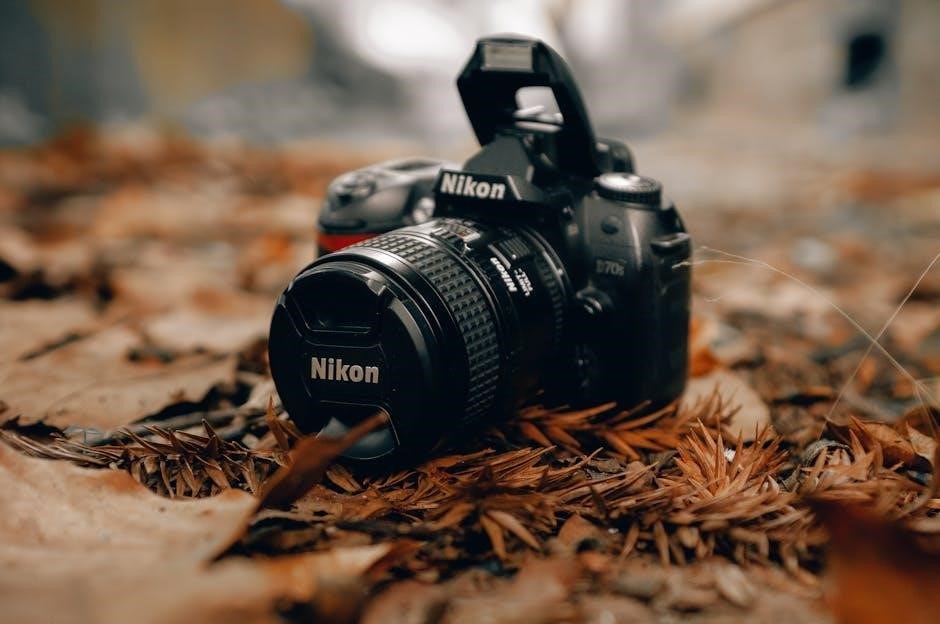
Remember that video recording duration is limited by the card’s capacity and file size. Experiment with different settings to achieve the desired look and feel for your videos. The tilting LCD screen is particularly useful for monitoring composition during recording.
Image Quality and Size Settings
The Nikon D5000 provides extensive control over image quality and size (pages 62-64)‚ allowing you to balance file size with detail. You can select from various JPEG compression levels – Fine‚ Normal‚ and Basic – impacting image quality and storage capacity. For maximum detail and editing flexibility‚ choose RAW (NEF) format‚ which captures all sensor data.
Image size options include Large‚ Medium‚ and Small‚ determining the resolution of your photographs. Larger sizes are ideal for printing‚ while smaller sizes are suitable for web use or email sharing. Consider the intended use of your images when selecting these settings.
Optimizing storage involves balancing quality and size. Using a lower compression level or smaller image size allows you to store more photos on your memory card. Experiment to find the best compromise for your needs. Remember that RAW files are significantly larger than JPEGs.
Optimizing Storage: File Size and Compression
Efficiently managing storage on your Nikon D5000 is crucial‚ especially when shooting extensively. The camera offers options to reduce file size through compression and image size adjustments (pages 62-64). Selecting a lower JPEG compression level (Normal or Basic) significantly reduces file size‚ allowing more images to be stored on your memory card.
Choosing a smaller image size (Medium or Small) also decreases file size‚ ideal for web sharing or emailing. However‚ this comes at the cost of reduced detail and print quality. RAW (NEF) files‚ while offering maximum editing potential‚ are considerably larger than JPEGs.
To maximize storage‚ consider your shooting needs. For critical images intended for large prints‚ prioritize quality with RAW or high-quality JPEGs. For casual snapshots‚ smaller file sizes are often sufficient. Regularly review and delete unwanted images to free up space.
Focusing Modes Explained
The Nikon D5000 offers various focusing modes to suit different shooting scenarios (pages 54-55). Auto-area AF automatically selects focus points across the frame‚ suitable for general photography where the subject’s exact location is uncertain. Center-point AF focuses solely on the center focus point‚ ideal for stationary subjects precisely positioned in the middle of the frame.
Dynamic-area AF allows you to select a focus point‚ and the camera continues to track the subject even if it moves slightly. Face-priority AF is designed to detect and focus on faces within the frame‚ perfect for portraits. Understanding these modes is key to achieving sharp images.
Experiment with each mode to determine which best suits your shooting style and subject matter. Proper focus mode selection dramatically improves image quality and reduces the likelihood of blurry photos. Remember to consult the manual for detailed explanations and customization options.
Selecting Focus Points
The Nikon D5000 allows manual selection of focus points (page 58)‚ giving you precise control over where the camera focuses. With single-point AF‚ you can choose one of eleven focus points to pinpoint your subject. This is crucial for static subjects requiring sharp detail in a specific area.
To select a focus point‚ use the multi-selector to navigate through the available points displayed in the viewfinder. Ensure the chosen point aligns directly with the area you want in focus. This method is particularly useful when composing shots with complex backgrounds or when using a shallow depth of field.
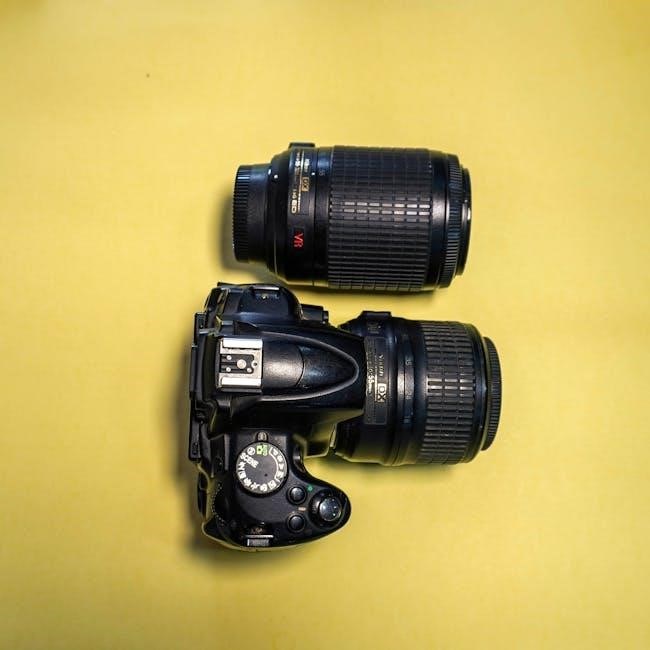
Careful focus point selection ensures your intended subject is tack-sharp‚ while blurring the background for artistic effect. Mastering this skill significantly enhances your photographic control and creative possibilities. Refer to the camera’s manual for detailed instructions and visual aids.
Using 3D-Tracking for Moving Subjects
The Nikon D5000’s 3D-tracking feature (page 57) is invaluable for capturing sharp images of moving subjects. Once activated‚ the camera continuously tracks the subject as it moves within the frame‚ automatically adjusting focus to maintain sharpness. This is achieved by initially selecting a focus point on the subject‚ then half-pressing the shutter button to initiate tracking.
The camera then monitors the subject’s position‚ utilizing all eleven focus points to predict its movement. This dynamic focusing system is ideal for photographing children‚ pets‚ or sports action. However‚ it’s important to note that 3D-tracking performs best when the subject contrasts with its background.
For optimal results‚ keep the subject within the frame and avoid obstructions. While powerful‚ 3D-tracking isn’t foolproof; occasionally‚ manual intervention may be necessary to maintain focus on fast or erratic movements.